

Touch Point for Mobile
Mobile App Update: Switching to the Web Version
The Touch Point Android and iOS mobile apps are being retired. You can now access the full version of Touch Point directly through your device's web browser without downloading anything.
Access the platform from any phone, tablet, or computer.
Link: Touch Point Login Page
Details: Use your usual username and password.
Account: Your existing data and profile remain unchanged.
Touch Point Web Login
How to Save Touch Point to Your Home Screen
You can add a shortcut to your phone's home screen, so it opens just like an app. Please follow the instructions below.
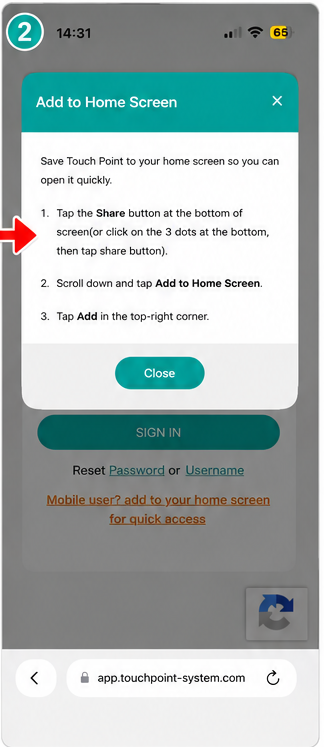
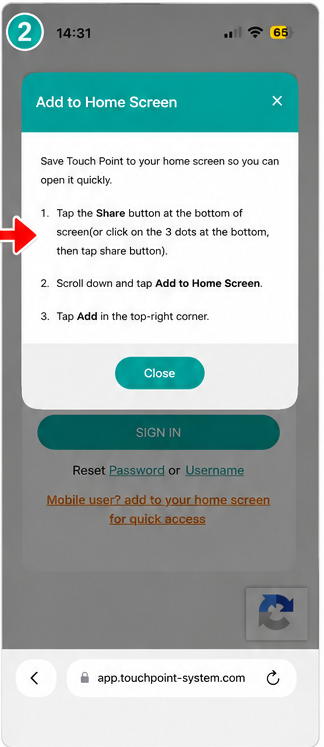
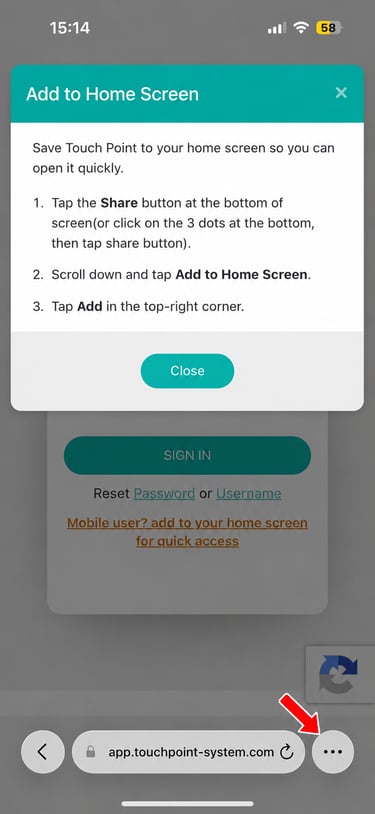
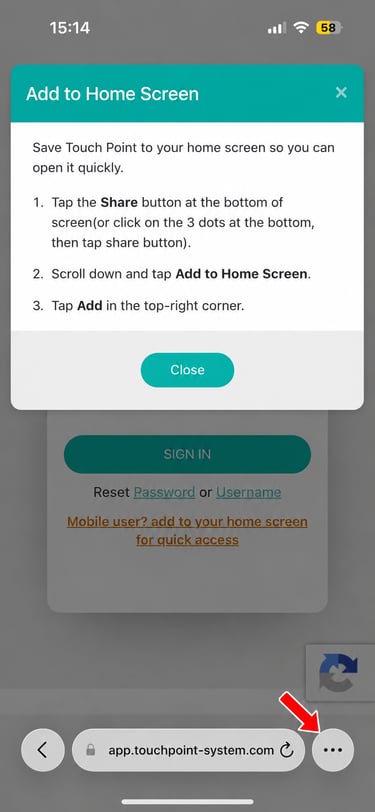
Step 2 – Read the instructions
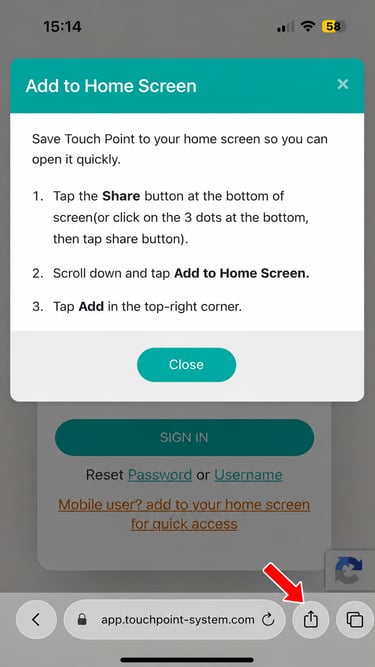
A pop-up box will appear with instructions explaining how to add Touch Point to your home screen.
Read the instructions, then begin the process.
For iPhone (Safari)
Step 1 - Open the Touch Point login page
Open Safari and go to the Touch Point login page. (link)
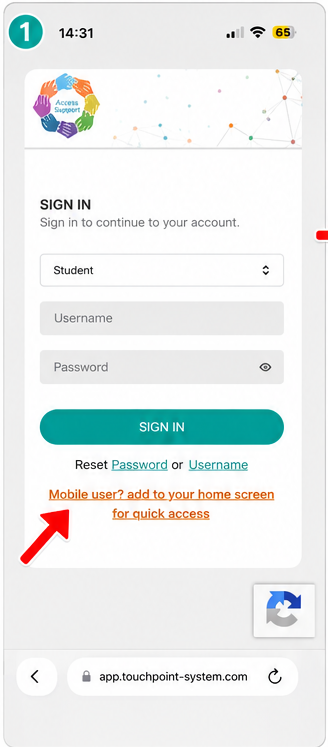
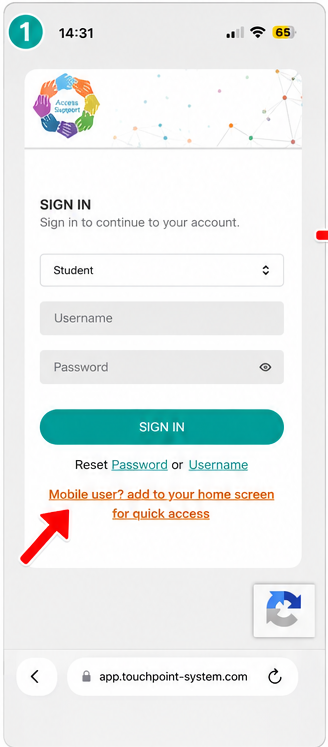
At the bottom of the login screen, tap the orange link that says:
“Mobile user? Add to your home screen for quick access.”
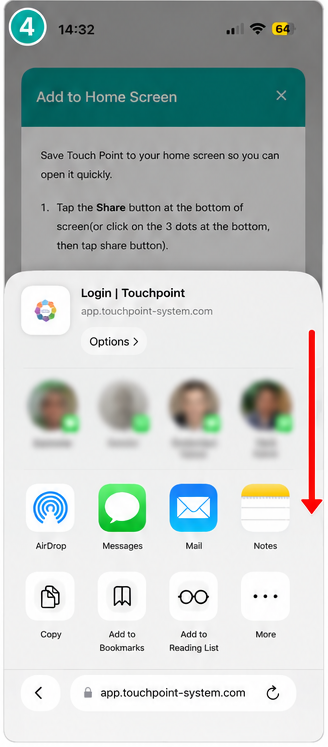
Step 4 – Scroll through the Share menu
Scroll down through the available Share menu options.
Step 3 – Open the Share menu
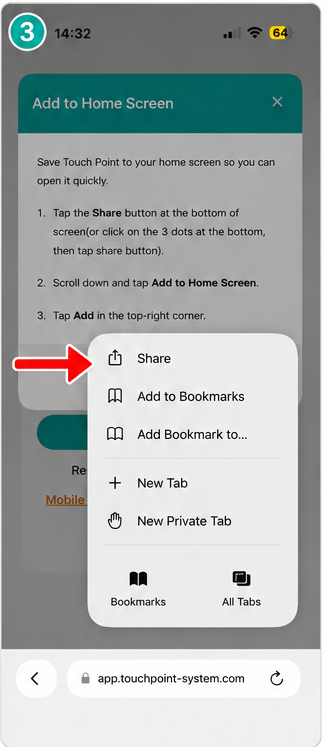
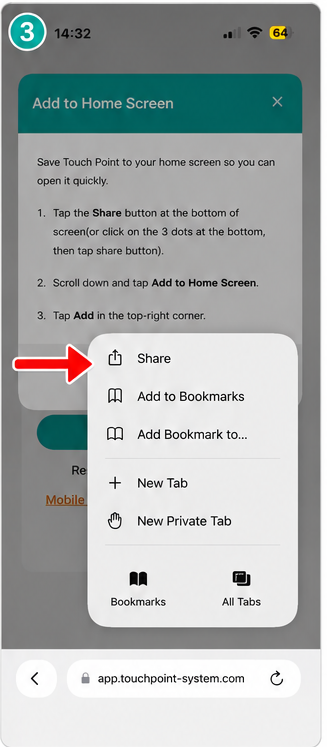
Go to the bottom of the Safari screen and tap the Share button.
Some users may see a three-dot menu instead of the Share button. In this case, tap the three dots.
Step 6 – Add
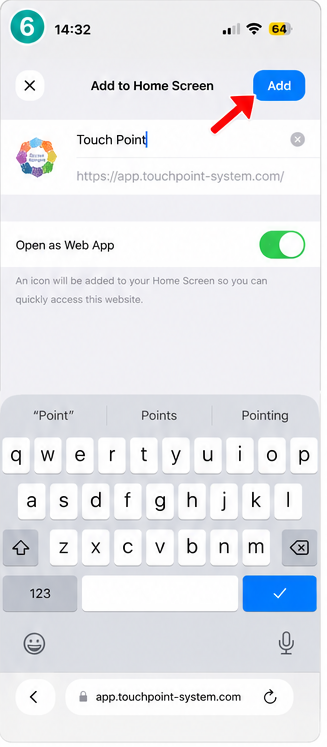
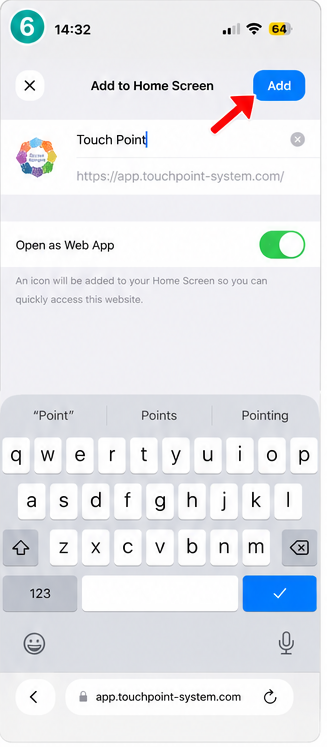
Tap the blue Add button in the top-right corner of the screen.
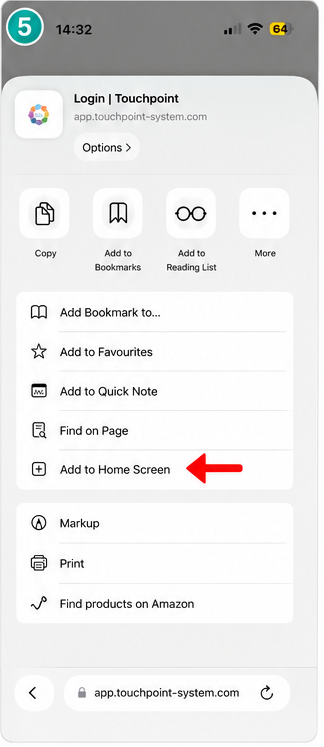
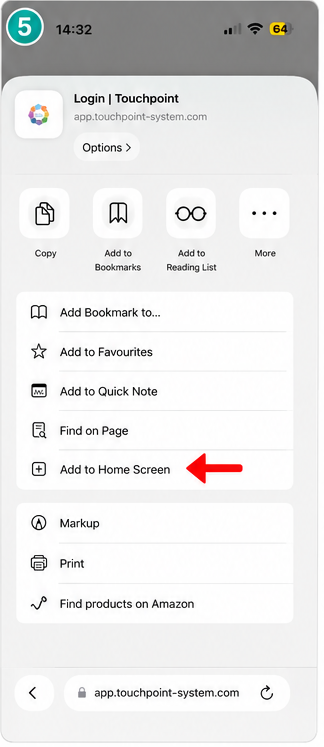
Step 5 – Select “Add to Home Screen”
Tap Add to Home Screen.
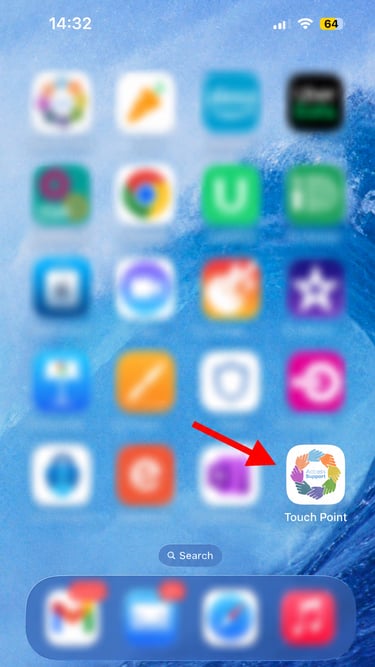
Step 7 – Open Touch Point from your home screen
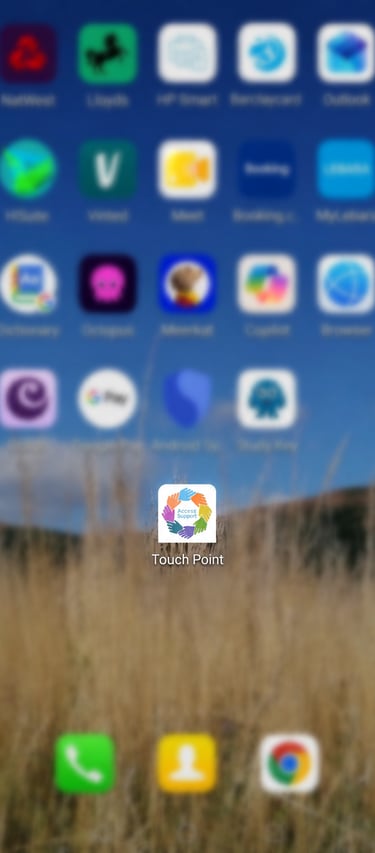
The Touch Point icon will now appear on your iPhone home screen.
You can tap this icon whenever you need quick access to Touch Point.
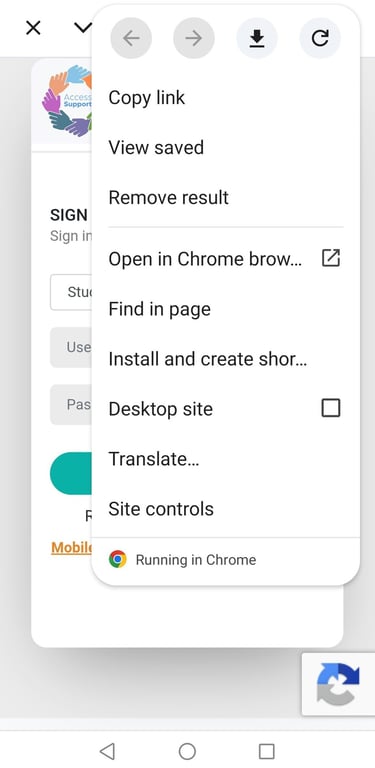
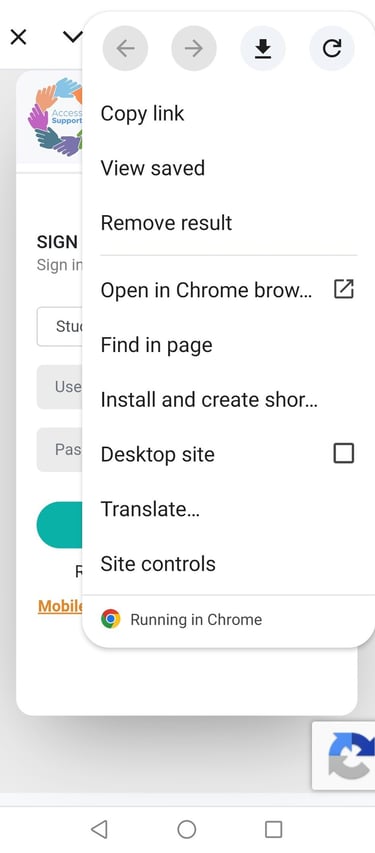
Step 2 – Select "Install and create shortcut" or "Add to Home Screen" (depending on your Android device)
For Android (Chrome)
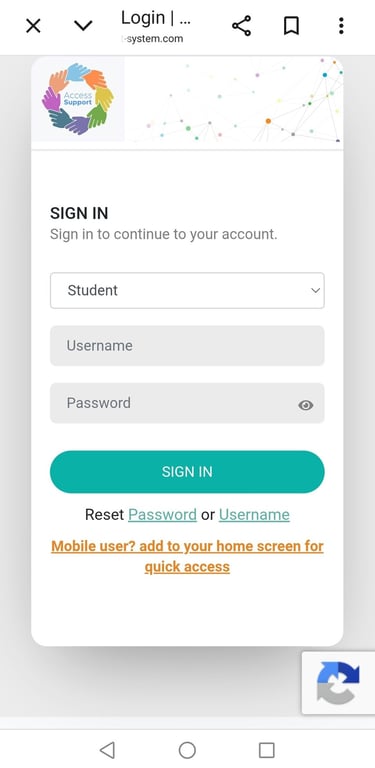
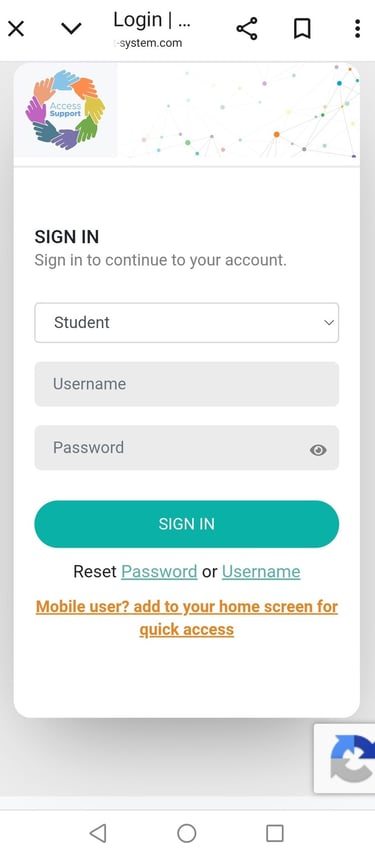
Step 1 - Open Chrome on your Android phone.
Go to https://app.touchpoint-system.com/
Tap the three dots (⋮) (browser menu) in the top-right corner.
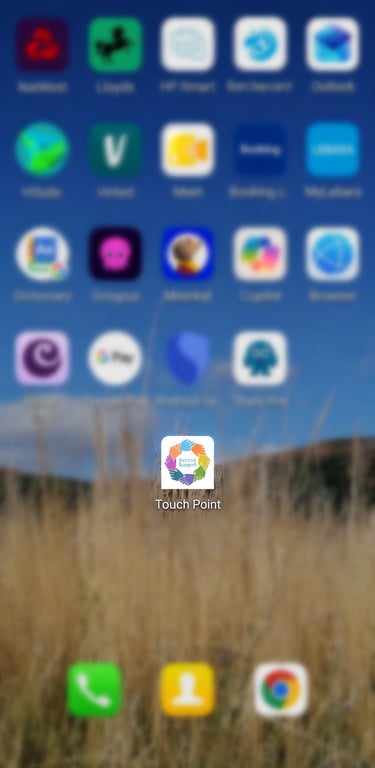
Step 4 – Check your home screen
Touch Point will now appear as an icon on your Android home screen. You can tap the icon to open up Touch Point.
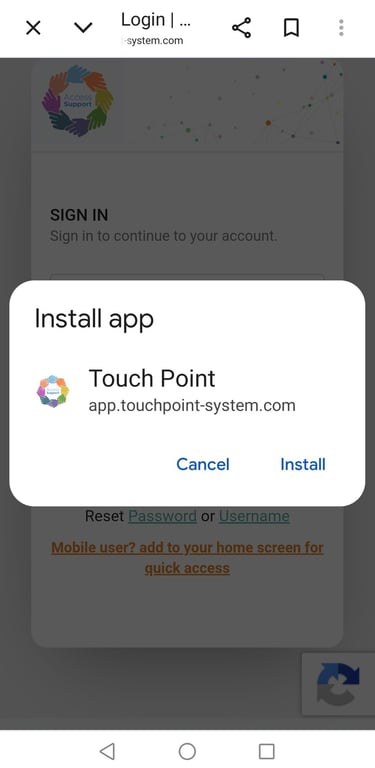
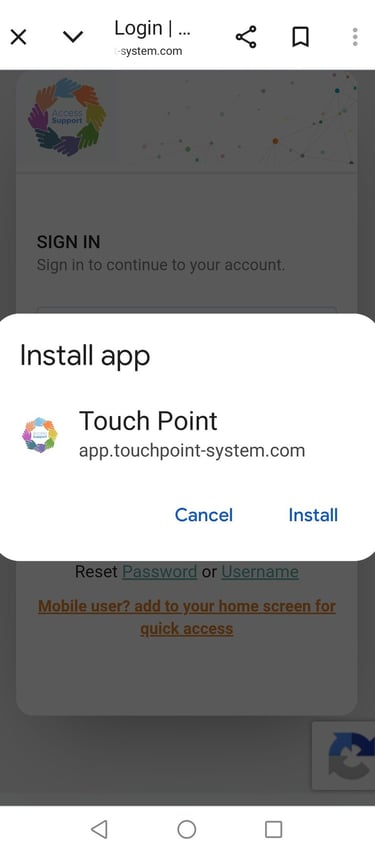
Step 3 – Confirm when prompted to add/install the shortcut
Troubleshooting & Support
Wrong Browser: You must use Safari on iPhone and Chrome on Android. Other browsers might not let you add shortcuts to your home screen.
Missing Buttons: Ensure your web browser app is updated to the latest version.
Still Stuck: Contact your organisation/support provider for help. You can also email our team at hello@accesssupport-group.com
© 2026 Access Support Ltd. All rights reserved.

Touch point Systems is part of the Access Support Group